Fast search
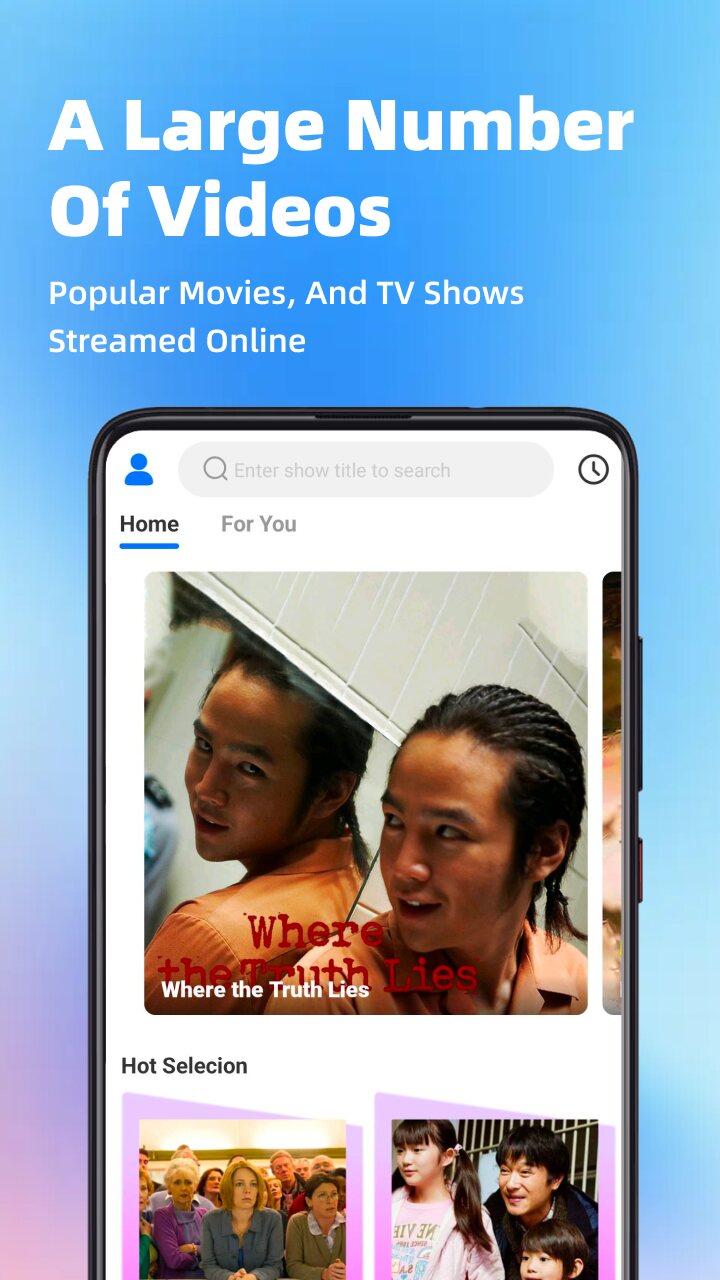
Type a title and jump straight to the show or movie you’re looking for.
MovieBox brings popular dramas, movies and anime from around the world into one simple app. Search in seconds, get picks made for you, save what you love and watch in crisp HD — online or offline.

Thoughtful tools that take you from “what should I watch?” to pressing play — faster.
Type a title and jump straight to the show or movie you’re looking for.
The For You tab and Hot Selection surface the latest and most popular titles.
Save favorites with one tap and keep your watchlist organized.
Your watch history lets you pick up right where you left off.
Download select episodes and movies, then watch anytime without internet.
Set a reminder on titles you’re waiting for so you never miss them.
Send supported content to your TV and enjoy it on the big screen.
Fresh dramas, movies and anime are added regularly, so there’s always something new.
Clean, focused screens that keep the spotlight on the story.
Popular movies and TV shows, streamed online. Search by title right from the home screen, or switch between Home and For You to see what’s trending.
From suspense and romance to action and comedy, MovieBox brings together TV series, films and animations across genres and regions — with fresh titles added regularly.
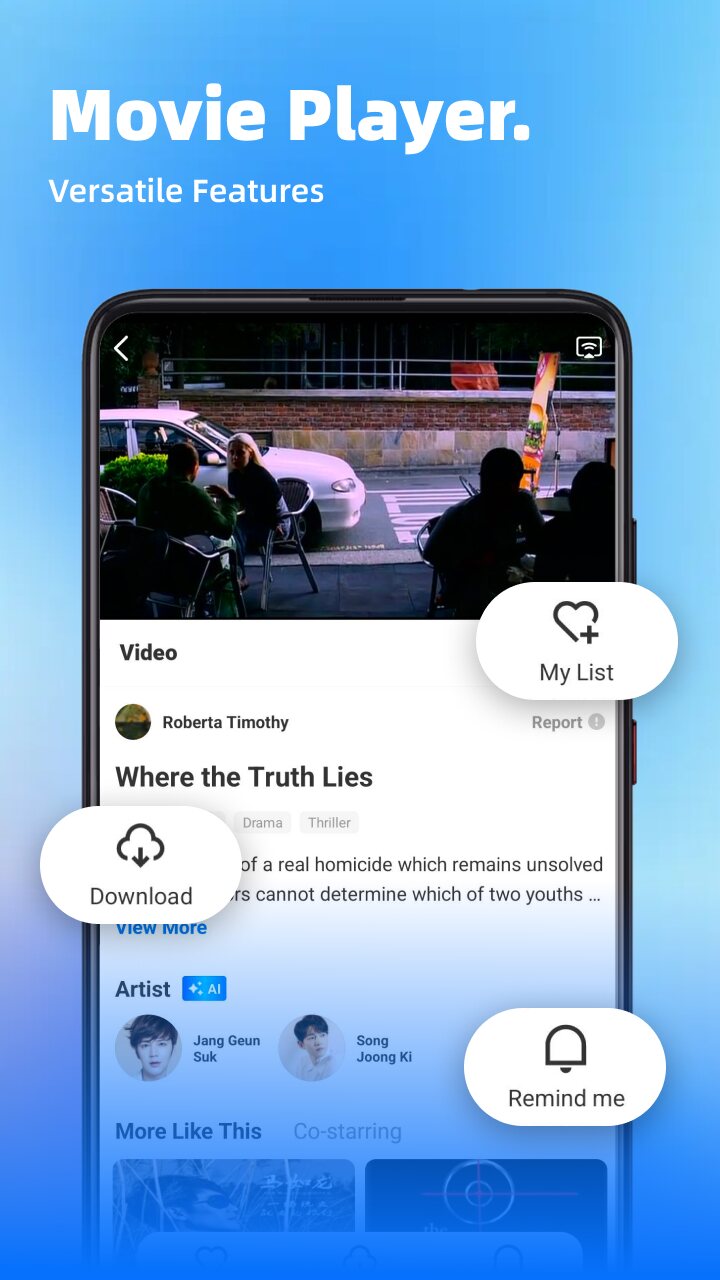
Everything sits right below the video: add to My List, download for offline viewing, set a reminder or cast to your TV — plus cast details and More Like This to find your next watch.
Experience stunning 1080P resolution, or switch to a lower quality to save data when you’re on the go.
Tap any screen to view it larger
Search by title, or browse For You and Hot Selection.
Add titles to My List, or download them to watch offline.
Stream in HD, download for offline viewing, or cast to your TV.
Sign in with Google is one of the ways to sign in to MovieBox, alongside your phone number or email. It does exactly the same job: it creates your MovieBox account or signs you in to it.
Read the full Privacy PolicyOnly your basic Google profile: your name, email address, and profile picture (the openid, email, and profile scopes). Nothing else in your Google account.
Only to create your MovieBox account and sign you in. Once you’re signed in, your account works the same as one created with a phone number or email.
We never sell your Google data or use it for ads, and we never use Google APIs to create or edit images or videos, including AI-generated content.
Delete your account at any time in the App (Me → Settings → Delete Account), or revoke MovieBox’s access from your Google Account settings.
Yes. Download select episodes and movies, then watch them offline. Downloads are stored on your device for personal use, and some titles may become unavailable if content rights change.
MovieBox offers 1080P, 720P, 540P and 360P, so you can pick the quality that suits your connection.
Yes. Tap the cast button in the player to send supported content to your TV.
In the app, go to Me → Settings → Delete Account. You can also email us at carrtony944@gmail.com to request deletion.
Email us at carrtony944@gmail.com and we’ll get back to you as soon as we can.

MovieBox helps you discover, save and watch movies, TV series and anime with less friction.